TLS 1.2 vs TLS 1.3: What Is the Difference and Which Should You Use?

TLS 1.2 and TLS 1.3 are two widely recognized versions of Transport Layer Security, the protocol used to protect HTTPS and many other encrypted internet connections.
Both can provide strong security when configured correctly, but TLS 1.3 was designed to simplify the protocol, remove obsolete cryptographic options, reduce handshake overhead, and make secure defaults easier to achieve.
A modern HTTPS connection may look like:
Browser
   ↓
DNS lookup
   ↓
Server IP
   ↓
TLS handshake
   ↓
TLS 1.3 or TLS 1.2
   ↓
Encrypted HTTPS traffic
For most modern websites, TLS 1.3 is preferred when both client and server support it, while TLS 1.2 is still commonly enabled for compatibility with older software and devices.
What Is TLS?
TLS stands for:
Transport Layer Security
It is the protocol used to create encrypted and authenticated connections between clients and servers.
For websites, TLS is what protects HTTPS traffic.
For example:
https://example.com
uses TLS to help protect data exchanged between the browser and server.
TLS is also used in other technologies such as:
- Email transport
- APIs
- VPN-related systems
- Database connections
- Messaging protocols
Is TLS the Same as SSL?
No.
SSL was the predecessor to TLS.
The old SSL protocol versions are obsolete, but the term SSL is still widely used in phrases such as:
- SSL certificate
- SSL checker
- SSL handshake
- SSL error
Modern HTTPS connections use TLS.
So when a hosting provider says:
Enable SSL
it usually means enabling HTTPS using modern TLS.
What Is TLS 1.2?
TLS 1.2 is an older but still widely deployed version of TLS.
It introduced important improvements over earlier TLS versions and has supported secure HTTPS connections for many years.
TLS 1.2 can still provide strong security when configured with modern cryptographic algorithms and appropriate server settings.
However, it also supports many older options that administrators may need to disable manually.
What Is TLS 1.3?
TLS 1.3 is a newer generation of the TLS protocol.
It was designed to make TLS simpler and safer by removing a number of legacy features and reducing the number of choices that can lead to insecure configurations.
Major goals included:
- Faster connection establishment
- Removal of obsolete cryptography
- Simpler cipher suite design
- Mandatory forward-secret key exchange
- Reduced handshake complexity
TLS 1.2 vs TLS 1.3 at a Glance
TLS 1.2
- Older protocol
- More configuration choices
- Supports legacy algorithms
- Usually requires more handshake steps
- Broad compatibility

TLS 1.3
- Newer protocol
- Simpler cryptographic design
- Removes many obsolete algorithms
- Faster handshake
- Better modern defaults
The Biggest Difference: Handshake Speed
One of the most visible improvements in TLS 1.3 is the handshake.
A secure connection needs to be negotiated before normal HTTPS data can be exchanged.
TLS 1.2 generally requires more communication between the client and server than TLS 1.3.
A simplified TLS 1.2 connection might look like:
Client → Server
Server → Client
Client → Server
Secure session established
TLS 1.3 simplifies this process.
A simplified view is:
Client → Server
Server → Client
Secure session established
This can reduce latency before encrypted application traffic begins.
Why Fewer Round Trips Matter
A round trip is the time required for information to travel from the client to the server and back.
If the user and server are geographically far apart, each round trip can add noticeable delay.
For example:
User in Singapore
        ↓
Server in North America
        ↓
Higher network latency
Reducing handshake round trips can therefore make HTTPS connection startup faster.
TLS 1.3 and 1-RTT Handshakes
A normal new TLS 1.3 connection can usually establish encryption using fewer round trips than older TLS designs.
This is commonly described as a 1-RTT handshake.
RTT means:
Round-Trip Time
The goal is to reduce the amount of network negotiation required before useful application data can be exchanged.
What Is TLS 1.3 0-RTT?
TLS 1.3 also supports an optional feature known as 0-RTT for certain resumed sessions.
It allows a client that previously connected to the server to send some application data very early in a resumed connection.
A simplified comparison is:
Normal new TLS 1.3 connection:
1-RTT

Eligible resumed connection:
Potential 0-RTT data
This can reduce latency further.
Is 0-RTT Always Safe to Use?
No.
0-RTT data has replay considerations.
A network participant may potentially replay early application data in some situations.
For this reason, applications should avoid using 0-RTT for operations that cannot safely be repeated.
For example, extra care may be needed for requests that:
- Create transactions
- Submit payments
- Change account state
- Trigger irreversible operations
0-RTT is therefore an optimization that needs application-level awareness.
TLS 1.3 Removes Older Cryptographic Algorithms
TLS 1.2 supports a broad range of cryptographic configurations.
Some are strong and modern.
Others exist mainly for historical compatibility and should not be used on modern public websites.
TLS 1.3 simplified the protocol by removing many older choices.
This reduces the number of insecure or outdated combinations that administrators can accidentally enable.
What Was Removed From TLS 1.3?
TLS 1.3 removed support for several legacy concepts and algorithm combinations that were available in earlier versions.
Examples include older constructions based on:
- Static RSA key exchange
- Older CBC-based cipher configurations
- Obsolete hash and encryption algorithms
- Non-forward-secret key exchange methods
The result is a narrower set of modern cryptographic options.
Does TLS 1.3 Use RSA?
RSA can still be involved in certificate signatures depending on the certificate and configuration.
However, TLS 1.3 does not use the old static RSA key exchange mechanism that was available in TLS 1.2.
This distinction is important.
RSA certificate authentication and RSA key exchange are not the same thing.
TLS 1.2 Key Exchange
TLS 1.2 supported several different approaches to key exchange.
Depending on the configuration, these could include:
- RSA key exchange
- Diffie-Hellman
- ECDHE
Modern TLS 1.2 deployments generally prefer ephemeral key exchange such as ECDHE.
TLS 1.3 Key Exchange
TLS 1.3 is designed around ephemeral key establishment.
This helps provide forward secrecy as a normal property of the protocol.
A simplified concept is:
Client temporary key
        ↓
Key exchange
        ↑
Server temporary key
        ↓
Shared secret derived
What Is Forward Secrecy?
Forward secrecy helps protect previously recorded sessions if the server's long-term private key is compromised in the future.
Without forward secrecy, an attacker who recorded encrypted traffic and later obtained the server's private key might potentially be able to decrypt certain historical sessions under older key-exchange designs.
With ephemeral key exchange, the long-term certificate key alone is not sufficient to recover previous session keys.
Why Forward Secrecy Matters
Suppose an attacker records encrypted traffic today.
Six months later, the server's certificate private key is compromised.
With appropriate forward-secret key exchange, the old session keys were temporary and are not recoverable simply from the long-term private key.
This reduces the impact of future key compromise on past traffic.
TLS 1.2 Cipher Suites
TLS 1.2 cipher-suite names often describe several parts of the connection.
A TLS 1.2 cipher suite may identify:
- Key exchange
- Authentication
- Symmetric encryption
- Integrity protection
This leads to relatively long names and many possible combinations.
TLS 1.3 Cipher Suites
TLS 1.3 simplified cipher suite definitions.
A TLS 1.3 cipher suite focuses mainly on symmetric encryption and hashing because key exchange and authentication are negotiated separately.
Typical TLS 1.3 cipher suites use modern authenticated encryption.
What Is Authenticated Encryption?
Authenticated encryption combines:
- Confidentiality
- Integrity protection
in a modern encryption construction.
This helps protect data from both unauthorized reading and undetected modification.
TLS 1.3 and AEAD
TLS 1.3 uses authenticated encryption with associated data, commonly abbreviated AEAD.
Modern examples include cryptographic constructions based on:
- AES-GCM
- ChaCha20-Poly1305
The exact cipher selected depends on client and server capabilities.
Does TLS 1.2 Support Modern Encryption?
Yes.
TLS 1.2 can use modern cipher suites such as those based on AES-GCM with ephemeral key exchange.
This means TLS 1.2 is not automatically insecure.
The main issue is that TLS 1.2 supports a wider range of older options, which requires more careful configuration.
Is TLS 1.2 Still Secure?
TLS 1.2 can still provide strong security when:
- Modern cipher suites are used.
- Weak algorithms are disabled.
- Certificates are valid.
- Forward-secret key exchange is enabled.
- The server is kept up to date.
The security of a TLS 1.2 deployment depends heavily on configuration.
Is TLS 1.3 More Secure Than TLS 1.2?
TLS 1.3 has several design advantages.
It removes many obsolete options and makes forward-secret key exchange part of the normal protocol design.
This reduces the configuration surface and makes it harder to accidentally deploy some older insecure combinations.
That does not mean every TLS 1.2 connection is weak.
A carefully configured TLS 1.2 server can still be secure.
TLS 1.3 Removes Compression
Older TLS configurations supported protocol-level compression.
Compression created security concerns because encrypted message sizes could leak information under certain attack scenarios.
TLS 1.3 does not support TLS-level compression.
TLS 1.3 Simplifies Renegotiation
Older TLS versions supported renegotiation mechanisms that added complexity to connection management.
TLS 1.3 removed traditional renegotiation.
This simplifies the protocol and reduces a source of historical implementation issues.
TLS 1.2 vs TLS 1.3 Handshake Comparison
A highly simplified comparison is:
TLS 1.2
ClientHello
     ↓
ServerHello
Certificate
Key exchange
     ↓
Client key exchange
Finished
     ↓
Server Finished
     ↓
Encrypted traffic
TLS 1.3
ClientHello
+ key share
     ↓
ServerHello
+ key share
Certificate
Finished
     ↓
Client Finished
     ↓
Encrypted traffic
The exact handshake is more complex than these diagrams, but TLS 1.3 moves useful cryptographic information earlier in the process.
Why Does TLS 1.3 Encrypt More of the Handshake?
TLS 1.3 begins encrypting portions of the handshake earlier than TLS 1.2.
This reduces the amount of protocol metadata exposed after initial key establishment.
Some information still needs to be exchanged before encryption can begin.
Does TLS 1.3 Hide the Domain Name?
Not by itself.
Traditional Server Name Indication is sent in the ClientHello and can expose the requested hostname.
Technologies such as Encrypted ClientHello are designed to improve privacy around that information when the necessary ecosystem support is available.
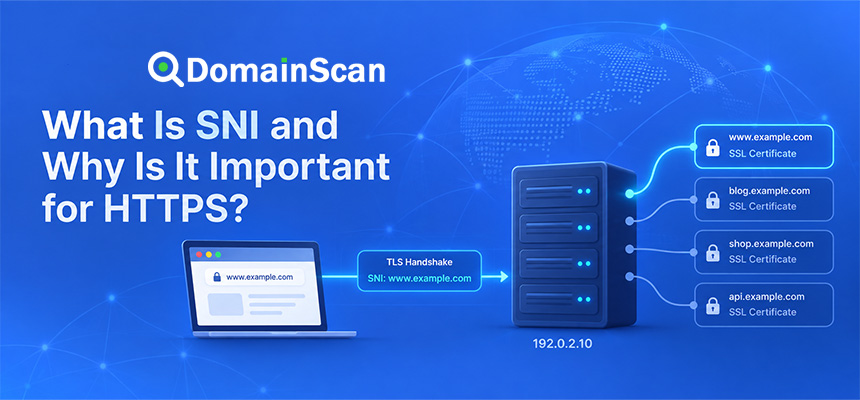
TLS 1.3 and SNI
SNI is still important in TLS 1.3.
When several websites share one IP address, the server or edge network needs to determine which certificate and configuration should be used.
A typical connection may contain:
ClientHello
SNI = www.example.com
TLS 1.3 supported
Key share
...
TLS 1.3 and Certificate Validation
TLS 1.3 does not remove the need for SSL/TLS certificates.
The browser still checks:
- Hostname coverage
- Certificate expiration
- Certificate chain
- Trusted issuer
- Signature validity
A faster handshake does not bypass certificate security.
Does TLS 1.3 Require a Different SSL Certificate?
Usually no.
A normal modern certificate can often be used with both TLS 1.2 and TLS 1.3.
The protocol version is mainly determined by the client and server TLS software rather than by issuing a special “TLS 1.3 certificate.”
Does Upgrading to TLS 1.3 Require a New Domain Certificate?
Not simply because the protocol version changed.
If your certificate is valid and uses compatible modern cryptography, it can normally continue to be used.
The server software and TLS configuration need to support TLS 1.3.
TLS 1.2 vs TLS 1.3 Compatibility
TLS 1.2 has broader compatibility with older software and devices.
TLS 1.3 is widely supported by modern:
- Browsers
- Operating systems
- CDNs
- Web servers
- Cloud platforms
Older clients may not understand TLS 1.3 and therefore need TLS 1.2.
Should You Enable Both TLS 1.2 and TLS 1.3?
For many public websites, enabling both is a practical configuration.
The server can prefer TLS 1.3 for modern clients while still allowing compatible TLS 1.2 connections for older supported devices.
For example:
Modern browser
    ↓
TLS 1.3

Older supported client
    ↓
TLS 1.2
Should TLS 1.0 and TLS 1.1 Be Enabled?
For modern public websites, old TLS versions should generally not be enabled unless there is a clearly documented legacy requirement.
Older protocols lack the security expectations of current HTTPS deployments and have been deprecated across the modern web ecosystem.
Should SSL 2.0 or SSL 3.0 Be Enabled?
No.
These old SSL protocols are obsolete and should not be used.
If a server still supports them, the TLS configuration should be reviewed.
How Protocol Negotiation Works
The client tells the server which TLS versions it supports.
For example:
Browser supports:
TLS 1.3
TLS 1.2
If the server supports both:
Server supports:
TLS 1.3
TLS 1.2
the connection can use TLS 1.3.
If the server supports only TLS 1.2:
Selected:
TLS 1.2
the connection can fall back to that mutually supported version.
What Happens If There Is No Common TLS Version?
The handshake fails.
For example:
Client:
TLS 1.3 only

Server:
TLS 1.2 only

Result:
No compatible version
The browser or application may display an SSL or TLS protocol error.
Can TLS Version Problems Cause ERR_SSL_PROTOCOL_ERROR?
Yes.
If the browser and server cannot agree on an acceptable TLS configuration, the secure connection can fail.
However, ERR_SSL_PROTOCOL_ERROR has many possible causes and should not automatically be attributed to TLS versions.
TLS 1.3 and Web Server Software
TLS 1.3 support depends on the web server and cryptographic libraries in use.
Modern versions of common servers and platforms generally support TLS 1.3.
Legacy systems may require software upgrades before it can be enabled.
TLS 1.3 and Nginx
Nginx can support TLS 1.3 when built with an appropriate modern TLS library.
An administrator should verify both:
- Nginx version and build
- Underlying TLS library
Changing configuration alone cannot add support if the underlying software stack lacks it.
TLS 1.3 and Apache
Apache deployments can also support TLS 1.3 when the server and linked TLS library provide the necessary capabilities.
As with Nginx, the complete software stack matters.
TLS 1.3 and CDNs
CDNs commonly terminate TLS at edge servers close to users.
A connection may look like:
Visitor
   ↓ TLS 1.3
CDN Edge
   ↓ TLS 1.2 or TLS 1.3
Origin Server
The edge and origin TLS versions do not necessarily need to be identical.
Edge TLS vs Origin TLS
When using a CDN, there may be two separate TLS connections.
Edge connection
User ↔ CDN
Origin connection
CDN ↔ Origin Server
Each connection can have its own:
- TLS version
- Certificate
- Cipher suite
- Session settings
Can the CDN Use TLS 1.3 While the Origin Uses TLS 1.2?
Yes.
The CDN can negotiate TLS 1.3 with the visitor while separately using TLS 1.2 with the origin server.
However, the origin connection should still use a secure modern configuration.
TLS 1.3 and Reverse Proxies
A reverse proxy may handle public TLS connections:
Browser
   ↓ TLS 1.3
Reverse Proxy
   ↓ HTTP or TLS
Application
The application server does not necessarily need to support public TLS 1.3 if the reverse proxy terminates TLS.
The security of the internal connection should still be appropriate for the network architecture.
TLS 1.3 and Load Balancers
Load balancers can similarly negotiate TLS with users and then forward traffic internally.
This means TLS 1.3 support may need to be enabled on the load balancer rather than individual application servers.
Does TLS 1.3 Improve Website Speed?
It can improve connection startup latency because the handshake usually requires fewer round trips.
The practical improvement depends on:
- Network latency
- Connection reuse
- CDN usage
- Session resumption
- Server location
TLS version is only one part of website performance.
TLS 1.3 and High-Latency Networks
Handshake improvements can be particularly valuable when users are far from the server.
For example:
User:
Malaysia

Origin:
United States
Reducing one round trip can save more time than it would for a user located near the server.
Does TLS 1.3 Reduce Server CPU Usage?
Not universally.
The cryptographic work differs depending on algorithms, hardware acceleration, session resumption, connection patterns, and server software.
The main performance advantage of TLS 1.3 is typically simplified and reduced-latency connection establishment rather than a guarantee of lower CPU usage in every environment.
TLS 1.3 and Session Resumption
TLS 1.3 supports session resumption to make repeat connections more efficient.
A browser that has recently connected may be able to avoid repeating the complete initial handshake process.
What Are Session Tickets?
Session tickets can allow clients to resume TLS sessions using information issued by the server.
This can reduce handshake overhead on later connections.
Ticket security and lifecycle should be managed carefully by server software.
TLS 1.2 vs TLS 1.3 Security Configuration
TLS 1.2 typically requires more manual decision-making.
An administrator may need to consider:
- Protocol versions
- Cipher suites
- Key exchange
- Legacy compatibility
TLS 1.3 deliberately removes many older choices.
This reduces configuration complexity.
Can TLS 1.3 Break Old Devices?
If a server supports only TLS 1.3, older devices that understand only TLS 1.2 or earlier may fail to connect.
This is why many public websites continue supporting:
TLS 1.3
TLS 1.2
simultaneously.
When Might You Use TLS 1.3 Only?
A TLS 1.3-only environment may be reasonable when:
- All clients are controlled.
- Every supported device is modern.
- Legacy compatibility is unnecessary.
- The application has strict security requirements.
Public websites usually have a broader client population.
Should a Public Website Disable TLS 1.2?
Not automatically.
The decision depends on the site's audience and compatibility requirements.
TLS 1.2 remains useful for supporting older but still legitimate clients when configured securely.
A practical modern deployment often supports both TLS 1.2 and 1.3 while disabling obsolete protocol versions.
How to Check Which TLS Version a Website Uses
The exact TLS version is negotiated for each connection.
A website does not necessarily use only one version.
For example:
Chrome:
TLS 1.3

Older application:
TLS 1.2
Browser developer tools, command-line TLS clients, server diagnostics, or specialized SSL testing tools can be used to inspect the negotiated protocol.
Why One User May Use TLS 1.3 While Another Uses TLS 1.2
The negotiated version depends on both client and server support.
For example:
Client A:
Supports TLS 1.3
Result: TLS 1.3

Client B:
Supports TLS 1.2 only
Result: TLS 1.2
Both users can connect securely to the same website.
Can IPv4 and IPv6 Use Different TLS Versions?
Yes, if the two DNS paths reach different infrastructure.
For example:
IPv4:
192.0.2.10
Supports TLS 1.3

IPv6:
2001:db8::10
Old server
Supports TLS 1.2 only
This can produce inconsistent results between users.
Why Infrastructure Consistency Matters
When a website has multiple TLS endpoints, they should be configured consistently where possible.
This includes:
- IPv4 server
- IPv6 server
- CDN edges
- Load balancers
- Backup servers
Otherwise, users may receive different security characteristics depending on which endpoint they reach.
TLS Version and SSL Certificates
The TLS protocol version and the website certificate are related but separate.
A certificate can be valid while the TLS protocol configuration is obsolete.
Likewise, a server can support TLS 1.3 but still present an expired certificate.
Both layers need to be correct.
TLS Version and Certificate Chains
TLS 1.3 still requires certificate validation for ordinary HTTPS server authentication.
A valid chain may look like:
Website Certificate
        ↓
Intermediate CA
        ↓
Trusted Root
Switching protocol versions does not fix a broken certificate chain.
TLS Version and SNI
SNI continues to help select the correct website certificate when multiple HTTPS sites share infrastructure.
TLS 1.3 does not eliminate the need for hostname-based certificate selection.
TLS Version and HSTS
HSTS tells the browser to use HTTPS.
It does not tell the browser whether TLS 1.2 or TLS 1.3 must be used.
The exact TLS version is negotiated between client and server.
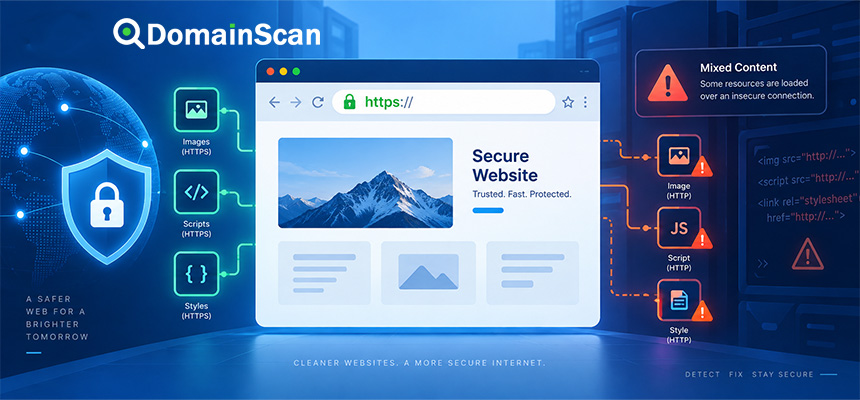
TLS Version and Mixed Content
A page using TLS 1.3 can still have mixed content.
For example:
Main page:
HTTPS / TLS 1.3

Image:
http://example.net/image.jpg
TLS 1.3 protects the secure connection but cannot automatically fix an HTTP resource referenced by the application.
TLS 1.3 and HTTP/2
HTTP/2 and TLS are separate protocols but are commonly used together in modern browser connections.
A typical connection may be:
TLS 1.3
   ↓
ALPN
   ↓
HTTP/2
   ↓
Encrypted web traffic
TLS 1.3 and HTTP/3
HTTP/3 uses QUIC and integrates TLS 1.3 into its security model.
Unlike HTTP/1.1 and HTTP/2 over traditional TCP, HTTP/3 uses QUIC as the transport layer.
A simplified view is:
HTTP/1.1 or HTTP/2:
TCP + TLS

HTTP/3:
QUIC + TLS 1.3
Does HTTP/3 Require TLS 1.3?
Yes, HTTP/3 uses TLS 1.3 within QUIC's connection establishment architecture.
This is one reason TLS 1.3 is an important foundation for newer web protocols.
Common TLS Version Problems
Server supports only obsolete protocols
Modern browsers may refuse to connect.
Server enables TLS 1.3 but certificate is invalid
The protocol succeeds far enough to present the certificate, but validation still fails.
Older client does not support TLS 1.3
If TLS 1.2 is disabled, the client may fail completely.
Different servers have different protocol settings
The site works inconsistently depending on which endpoint users reach.
Reverse proxy supports TLS 1.3 but origin does not
This may be fine when the proxy terminates public TLS, provided the origin connection remains securely configured.
How to Upgrade From TLS 1.2 to TLS 1.3
A typical process is:
- Check whether the server software supports TLS 1.3.
- Check the TLS library version.
- Update server software if necessary.
- Enable TLS 1.3.
- Keep secure TLS 1.2 support where compatibility is required.
- Disable obsolete protocol versions.
- Test certificates and certificate chains.
- Test modern browsers.
- Test required legacy clients.
- Monitor errors after deployment.
Should You Change Cipher Suites When Enabling TLS 1.3?
TLS 1.3 cipher configuration differs from TLS 1.2.
Administrators should follow the syntax and recommendations appropriate to their web server and TLS library.
Do not assume a TLS 1.2 cipher configuration automatically controls TLS 1.3 in the same way.
Should You Copy Random TLS Configuration From the Internet?
No.
TLS configuration depends on:
- Server software
- TLS library
- Client compatibility requirements
- Security policy
- Application environment
Outdated configuration examples may disable useful modern features or enable obsolete options.
Use current server documentation and test the resulting configuration.
How to Troubleshoot TLS Version Errors
Step 1: Check the client
Determine which TLS versions the client supports.
Step 2: Check the server
Confirm which protocol versions are enabled.
Step 3: Check the actual endpoint
Remember that the public connection may terminate at a CDN, proxy, or load balancer.
Step 4: Test IPv4 and IPv6
Different addresses may reach different server versions.
Step 5: Check the certificate
Do not confuse protocol negotiation failures with certificate failures.
Step 6: Review logs
TLS logs can reveal unsupported protocol or handshake errors.
How DomainScan Can Help
DomainScan tools can help identify whether a TLS problem actually begins elsewhere in the connection path.
SSL Checker
Use it to inspect:
- Certificate validity
- Certificate issuer
- Hostname coverage
- Certificate chain
- Signature algorithm
DNS Lookup
Check:
A
AAAA
CNAME
to confirm that users are reaching the expected TLS infrastructure.
DNS Propagation Check
Use it after server or CDN migrations when different users may still reach infrastructure with different TLS configurations.
Open Ports Lookup
Use it to help confirm that the expected HTTPS endpoint is reachable.
A Practical Modern TLS Checklist
- Enable TLS 1.3 when supported.
- Keep secure TLS 1.2 support when compatibility requires it.
- Disable obsolete SSL versions.
- Disable outdated TLS protocol versions.
- Use modern cryptographic settings.
- Use forward-secret key exchange.
- Maintain valid certificates.
- Maintain a complete certificate chain.
- Check SNI configuration.
- Test IPv4 and IPv6.
- Check CDN and load balancer settings.
- Test important older clients before removing TLS 1.2.
- Monitor handshake failures after changes.
Frequently Asked Questions
What is the difference between TLS 1.2 and TLS 1.3?
TLS 1.3 simplifies the protocol, removes many obsolete cryptographic options, uses modern forward-secret key exchange, and generally requires fewer handshake round trips than TLS 1.2.
Is TLS 1.3 faster than TLS 1.2?
It can establish new secure connections with fewer round trips, which can reduce connection latency.
Is TLS 1.2 still secure?
Yes, when configured with modern cipher suites, forward-secret key exchange, valid certificates, and appropriate security settings.
Should I disable TLS 1.2?
Not automatically. Many public websites keep secure TLS 1.2 support for older clients while preferring TLS 1.3 for modern clients.
Should I disable TLS 1.0 and TLS 1.1?
Modern public websites generally should not rely on obsolete TLS versions unless a specific legacy requirement has been carefully evaluated.
Does TLS 1.3 need a new SSL certificate?
Normally no. A compatible modern certificate can generally be used with both TLS 1.2 and TLS 1.3.
Does TLS 1.3 use RSA?
RSA can still be used for certificate signatures, but TLS 1.3 removed the older static RSA key exchange mechanism.
What is forward secrecy?
Forward secrecy means that compromise of the server's long-term private key should not automatically expose previously recorded session traffic.
What is TLS 1.3 0-RTT?
It is an optional session-resumption feature that can allow certain application data to be sent immediately on a resumed connection, but it has replay considerations.
Can a website support TLS 1.2 and TLS 1.3 at the same time?
Yes. This is a common configuration for modern public websites.
Why is my browser using TLS 1.2 when the server supports TLS 1.3?
The negotiated version depends on the client, server, TLS libraries, proxies, CDNs, and the actual endpoint reached.
Does HTTP/3 use TLS 1.3?
Yes. HTTP/3 uses QUIC with TLS 1.3 as part of its connection security design.
Final Thoughts
TLS 1.2 and TLS 1.3 can both provide secure HTTPS when deployed correctly, but TLS 1.3 represents a significant simplification of the protocol.
It removes many obsolete cryptographic choices, makes forward-secret key exchange part of normal operation, encrypts more of the handshake earlier, and reduces the number of round trips required to establish a secure connection.
For most modern public websites, a practical configuration is to enable TLS 1.3 while retaining securely configured TLS 1.2 for clients that still need it.
The decision should be based on actual client compatibility rather than simply enabling every possible protocol version.
When troubleshooting, remember that the negotiated TLS version is only one part of the HTTPS connection. DNS, IPv4 and IPv6 endpoints, certificates, certificate chains, SNI, CDNs, reverse proxies, and load balancers can all affect what the client ultimately experiences.
Use DomainScan SSL Checker to inspect the certificate side of the HTTPS connection, DNS Lookup and DNS Propagation Check to verify the infrastructure users are reaching, and Open Ports Lookup when confirming whether the expected secure endpoint is available.