What Is WHOIS? How to Look Up Domain Registration Information
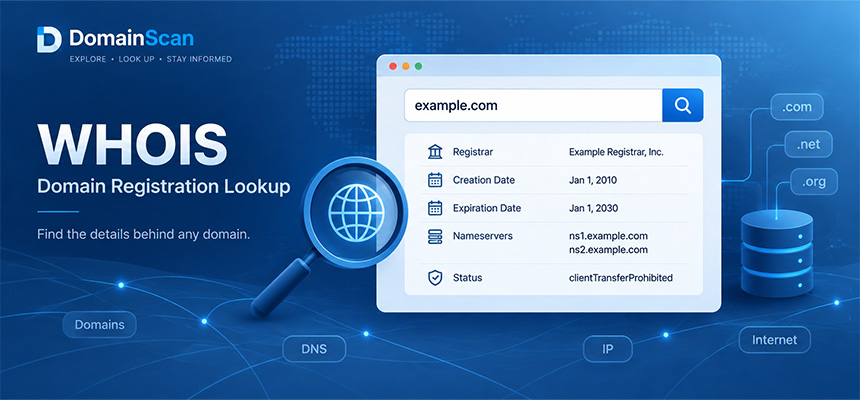
When you register a domain name, information about that registration is recorded by the domain registration system. Depending on the domain extension, registry, registrar, and applicable privacy rules, some of this information can be retrieved through a public registration data lookup.
For example, if you want to investigate example.com, you may want to know:
- When was the domain registered?
- Which company manages its registration?
- When is the registration scheduled to expire?
- Which nameservers are assigned to the domain?
- Is the domain locked against transfers or updates?
- Is any registrant contact information publicly available?
WHOIS has traditionally been the technology used to retrieve this information.
Today, the Registration Data Access Protocol (RDAP) provides a more standardized way to access domain registration records and has replaced traditional WHOIS as the authoritative registration data access protocol for generic top-level domains.
Despite this transition, the term WHOIS remains widely used in domain management tools, search engines, and everyday technical discussions.
What Is WHOIS?
WHOIS is a traditional internet query and response protocol used to retrieve registration information about domain names and certain internet number resources.
For domain names, WHOIS records have historically provided information about the domain's registration, such as its registrar, registration dates, nameservers, and status.
A simplified domain registration record might look like this:
Domain Name: example.com
Registrar: Example Registrar, Inc.
Creation Date: 2023-04-15
Updated Date: 2026-04-15
Registry Expiry Date: 2027-04-15
Domain Status: clientTransferProhibited
Name Server: ns1.example-dns.net
Name Server: ns2.example-dns.net
This is an illustrative record, not the actual registration information for example.com.
The available fields and their formatting depend on the source providing the data.
What Is WHOIS Used For?
Domain registration lookups can answer several practical questions.
Checking registration dates
A domain lookup may show when the current domain registration was created and when its current registration term is scheduled to expire.
Identifying the registrar
If you need to renew, transfer, or troubleshoot a domain, identifying its registrar is often the first step.
Investigating nameservers
Registration records can show which nameservers are assigned to a domain at the registry level.
Checking domain status
Domain status codes can indicate restrictions affecting transfers, updates, deletion, or other registration operations.
Finding public registration contacts
Some registration records contain public contact details or registrar-provided contact mechanisms. Other information may be withheld under applicable privacy rules.
WHOIS vs RDAP: What Is the Difference?
Traditional WHOIS and RDAP both provide access to registration information, but they use different technical approaches.
Traditional WHOIS
WHOIS commonly uses TCP port 43 and returns plain-text responses.
Different WHOIS servers have historically used different formatting conventions, making automated parsing difficult.
A WHOIS client might send a domain name to a WHOIS server and receive a text response containing the registration record.
RDAP
RDAP stands for Registration Data Access Protocol.
It provides registration information through structured HTTP-based responses, commonly using HTTPS and JSON.
RDAP supports standardized response structures, internationalization, service discovery, and differentiated access to registration information.
A simplified RDAP response may contain fields such as:
{
  "ldhName": "example.com",
  "status": [
    "client transfer prohibited"
  ],
  "nameservers": [
    {
      "ldhName": "ns1.example-dns.net"
    }
  ]
}
This is a simplified illustration rather than a complete RDAP response.
Has RDAP Replaced WHOIS?
For generic top-level domains, RDAP became the definitive registration data access protocol on January 28, 2025.
ICANN-accredited registrars and gTLD registry operators are required to provide RDAP services under the applicable requirements.
Traditional WHOIS availability varies by registry and registrar. Certain gTLDs continue to have specific WHOIS service requirements.
Country-code top-level domains may follow different registry policies and technical arrangements.
For administrators and developers, RDAP should be the primary protocol to consider when building modern gTLD registration lookup systems.
How to Look Up Domain Registration Information
To look up registration information, begin with the exact domain name you want to investigate.
For example:
example.com
You can use a domain registration lookup tool to retrieve the available public registration record.
For gTLDs, ICANN also provides an RDAP-based Registration Data Lookup service:
https://lookup.icann.org/en
When reviewing the response, focus on the fields relevant to your question rather than assuming every available field indicates the same thing.
Understanding a Domain Registration Record
A registration record can contain several dates, organizations, domain statuses, and technical identifiers.
Understanding their meanings helps prevent incorrect conclusions.
Domain Name
The Domain Name field identifies the registered domain being queried.
Domain Name: example.com
Always verify that the returned record corresponds to the domain you intended to investigate.
Registrar
The registrar is the company through which the domain registration is managed.
Registrar: Example Registrar, Inc.
The registrar handles services such as registration, renewal, transfers, and registration account management.
The registrar is not necessarily the company hosting the website or operating its DNS servers.
Creation Date
The creation date normally indicates when the current registration was created in the relevant registration database.
Creation Date: 2023-04-15
However, it does not necessarily prove that a website has existed continuously since that date.
A domain may have been registered for years without hosting a website. It may also have been deleted and registered again after an earlier registration period.
Updated Date
The updated date indicates that the registration record was changed or updated.
Updated Date: 2026-04-15
It does not necessarily mean the website content was updated on that date.
Registration updates and website content changes are separate activities.
Expiration Date
The expiration date indicates when the current registration term is scheduled to end according to the relevant record.
Registry Expiry Date: 2027-04-15
This date is useful when checking whether a domain needs attention, but it should not be interpreted as a guaranteed date when the domain will become available for public registration.
Does a Domain Become Available Immediately After Expiration?
No.
Domain expiration and domain availability are different events.
Depending on the registry, registrar, and domain extension, an expired domain may enter a renewal grace period, redemption period, pending deletion state, or another lifecycle stage.
The current registrant may still have an opportunity to renew or restore the registration.
If you are waiting to register an expired domain, the expiration date alone cannot tell you exactly when it will become available.
What Is a Domain Status Code?
Domain status codes indicate conditions or restrictions affecting a domain registration.
Common gTLD status codes include:
clientTransferProhibited
clientUpdateProhibited
clientDeleteProhibited
serverTransferProhibited
serverHold
redemptionPeriod
pendingDelete
Different codes have different operational meanings.
clientTransferProhibited
This status generally indicates that the registrar has placed a restriction on transferring the domain to another registrar.
It is commonly used as a protective transfer lock.
Its presence alone does not indicate that the domain is suspended or malfunctioning.
clientUpdateProhibited
This indicates a registrar-level restriction on certain updates to the domain registration.
If you are unable to modify registration settings, check whether this status applies.
clientDeleteProhibited
This indicates a registrar-level restriction on deletion.
It can be part of a domain protection configuration.
serverTransferProhibited
This indicates a registry-level transfer restriction.
Unlike a normal registrar-controlled transfer lock, resolving this restriction may require additional action through the registrar or registry.
serverHold
This status indicates that the registry has placed the domain on hold.
It can prevent the domain from being included in the relevant DNS zone, affecting normal domain resolution.
If a domain unexpectedly stops resolving and this status appears, contact the registrar to investigate the reason.
redemptionPeriod
This status can indicate that a domain has entered a recovery stage following deletion.
Restoration may still be possible under the applicable registry and registrar procedures.
pendingDelete
This status is associated with a domain in a deletion process.
The exact remaining lifecycle and availability timing depend on the applicable registration rules.
Registrar vs Registry: What Is the Difference?
These two organizations perform different roles.
Registry
The registry operates the registration database for a top-level domain.
For example, the registry for a particular domain extension maintains authoritative registration information for domains registered under that extension.
Registrar
The registrar provides registration services to customers and interacts with the registry on their behalf.
A simplified arrangement is:
Domain Registrant
        |
        v
Domain Registrar
        |
        v
Domain Registry
Understanding this relationship is useful when investigating transfer locks, domain expirations, or registration record discrepancies.
Registrar vs DNS Provider vs Hosting Provider
A domain can use three different service providers.
Consider this example:
Domain Registrar:
Registrar A

DNS Provider:
Provider B

Web Hosting:
Provider C
The registrar manages the domain registration.
The DNS provider operates the authoritative nameservers.
The hosting provider runs the web application or server infrastructure.
Changing settings at the wrong provider may have no effect on the problem you are trying to solve.
How to Find a Domain's Nameservers
A registration record may contain nameserver entries such as:
Name Server: ns1.example-dns.net
Name Server: ns2.example-dns.net
These are the nameservers assigned to the domain at the registration or delegation level.
Their purpose is to direct DNS resolvers toward the authoritative DNS infrastructure for the domain.
Nameservers are not the same thing as web hosting servers.
Can WHOIS Tell You the Website's IP Address?
Not reliably.
A domain registration lookup is not designed to replace DNS resolution.
A domain's nameservers may be listed in its registration record, but the website's actual IP address is normally obtained through DNS records such as A and AAAA.
For example:
example.com. IN A 192.0.2.10
Use a DNS lookup when you need the address currently returned for a hostname.
Can WHOIS Identify the Hosting Company?
Not necessarily.
The domain registrar and hosting company may be unrelated.
Even if DNS resolves to an IP address associated with a hosting provider, the website may use a CDN, reverse proxy, or shared infrastructure.
Registration data alone does not establish the full hosting arrangement.
Can WHOIS Reveal the Domain Owner?
Sometimes, but not always.
Historically, WHOIS records often displayed registrant names, organizations, addresses, telephone numbers, and email addresses.
Today, some registration information is withheld from public lookup results under applicable privacy laws and registration data policies.
A public response may show:
Registrant Name: REDACTED
Registrant Email: REDACTED
Registrant Organization: REDACTED
This does not necessarily mean the registration is invalid or that the domain owner cannot be contacted through an appropriate channel.
What Is Domain Privacy Protection?
Domain privacy protection refers to arrangements that limit the publication of personal contact details associated with a domain registration.
Depending on the registrar and domain extension, public records may contain redacted information, privacy-service contact details, or other permitted contact mechanisms.
These approaches should not all be treated as technically identical.
Some information is withheld because of applicable registration data policies, while a separate privacy or proxy service may be involved in other cases.
Does a Redacted WHOIS Record Mean the Website Is Suspicious?
No.
Publicly withheld registration information is common and can be entirely legitimate.
Businesses, individuals, and organizations may have nonpublic contact details in registration records.
A missing public registrant name is not sufficient evidence that a website is fraudulent or malicious.
If you are evaluating a website, consider its actual behavior, security, contact information, and other relevant evidence rather than relying on registration privacy alone.
How to Contact a Domain Registrant
If public registration information does not display the registrant's contact details, check whether the registrar provides an appropriate contact mechanism.
For example, a lookup result may include a registrar contact address, web form, or privacy-service forwarding method.
For legitimate requests involving nonpublic gTLD registration data, ICANN provides a Registration Data Request Service for participating registrars.
Access to nonpublic data is not automatically granted simply because a request is submitted.
What Is Domain Age?
Domain age is commonly calculated from the current registration's creation date.
For example:
Creation Date:
2023-04-15

Reference Date:
2026-04-15

Current Registration Age:
3 years
However, a current registration date is not necessarily the domain's complete historical age.
If a domain was deleted and subsequently registered again, its current creation date may differ from the date it was first registered historically.
Does an Old Domain Automatically Rank Better in Google?
No conclusion about search performance can be drawn from the registration date alone.
A domain may have existed for many years without publishing useful content.
Another domain may have been registered recently but contain technically sound, original, and helpful material.
WHOIS registration data does not measure content quality, user experience, or search performance.
Can WHOIS Show Previous Domain Owners?
A current public registration record generally describes the current registration state rather than providing a complete history of previous registrants.
Historical registration records may exist in third-party archives, but their availability, accuracy, and permitted use vary.
Do not assume that a current WHOIS or RDAP response contains the complete ownership history of a domain.
Why Do Different WHOIS Tools Show Different Results?
Several factors can cause discrepancies between lookup services.
- One tool uses RDAP while another uses a legacy WHOIS endpoint.
- The tools query different registration data sources.
- One service displays cached information.
- The registry and registrar expose different fields.
- A particular field is unavailable or withheld.
- The tools interpret or format registration dates differently.
When an important result is unclear, compare it with the applicable authoritative registration data source.
Why Is WHOIS Information Sometimes Missing?
Missing information can have several explanations.
The queried domain extension may use a different registration data service.
The queried name may not be registered.
Some data may be redacted, unavailable, or temporarily inaccessible.
A lookup service may also have difficulty connecting to the relevant registry or registrar.
An empty result should not automatically be interpreted as proof that the domain is available for registration.
Why WHOIS and RDAP Results Can Differ
Traditional WHOIS responses and modern RDAP responses may expose or format information differently.
RDAP provides a structured representation of registration data, while traditional WHOIS often returns unstructured text.
The availability of particular fields may depend on the registry, registrar, and applicable registration data policies.
For gTLD registration troubleshooting, use the authoritative RDAP result when possible.
WHOIS Lookup vs DNS Lookup
These tools answer different questions.
WHOIS or RDAP lookup
Used to retrieve available registration information.
Examples include:
Registrar
Creation Date
Expiration Date
Domain Status
Registration Nameservers
DNS lookup
Used to retrieve DNS records published for a hostname.
Examples include:
A
AAAA
MX
TXT
CNAME
NS
Both tools may be useful when troubleshooting the same domain, but one cannot completely replace the other.
WHOIS Nameservers vs DNS NS Records
Registration records and DNS records may both contain nameserver information.
However, they are retrieved from different systems.
A domain's parent-level delegation should be consistent with its intended authoritative DNS configuration.
If the nameservers shown in registration data differ from the nameservers returned by DNS queries, investigate where the discrepancy originates.
Possible causes include a recent nameserver change, outdated cached information, or an incorrect DNS configuration.
Example: A Domain Stops Working After Changing Nameservers
Suppose the intended nameservers are:
ns1.new-dns.example
ns2.new-dns.example
However, the current registration information still lists:
ns1.old-dns.example
ns2.old-dns.example
If the old DNS provider is no longer serving the domain correctly, users may experience DNS failures.
A practical troubleshooting process is:
- Check the current registration record.
- Identify the nameservers listed by the registry.
- Check the parent DNS delegation.
- Query the authoritative nameservers directly.
- Confirm the intended DNS zone contains the required records.
- Correct the delegation or DNS configuration as needed.
Example: A Domain Cannot Be Transferred
Suppose you want to transfer a domain from Registrar A to Registrar B.
The registration record shows:
Domain Status:
clientTransferProhibited
This indicates a registrar-level transfer restriction.
The next step is to review the registrar's transfer settings and determine whether the restriction can be removed.
Other transfer restrictions, eligibility rules, or account requirements may also apply.
Removing one status code does not guarantee that every transfer requirement has been satisfied.
Example: A Domain Appears to Be Expired
Suppose the registration record shows an expiration date that has already passed.
Before assuming the domain is available, check:
- The current registration status.
- Whether the registration has been renewed.
- Whether the relevant registry record has been updated.
- Whether the domain is in a grace or redemption period.
- Whether the registrar offers restoration.
If you are the registrant, contact your registrar promptly to confirm the actual renewal and restoration options.
Example: WHOIS Shows the Wrong Registrar
If your registration lookup shows an unfamiliar registrar, first confirm that you are checking the correct domain.
Then verify whether the registration was transferred or is managed through a reseller.
A reseller may provide the customer-facing service while another company is the accredited registrar of record.
The account dashboard and the official registration record may therefore display different company names without necessarily indicating an error.
Example: A Domain Is Registered but Does Not Have a Website
Registration information may show that a domain is active even when the browser cannot load a website.
For example:
Domain:
Registered

Nameservers:
Configured

A Record:
Missing
The registration exists, but the hostname may have no address record for the intended website.
WHOIS or RDAP establishes the registration state. DNS Lookup and server diagnostics are needed to investigate website availability.
Example: A Domain Uses a CDN
Consider this simplified configuration:
Registrar:
Registrar A

Nameservers:
DNS Provider B

Website IP:
CDN Network C

Origin Hosting:
Provider D
A registration lookup may identify the registrar and nameservers.
A DNS lookup may return CDN addresses.
Neither result necessarily reveals the private origin server address.
Understanding these separate infrastructure layers helps avoid drawing incorrect conclusions from one lookup.
How to Investigate a Domain Before a Migration
Before changing registrars, DNS providers, or hosting services, collect the current configuration.
A useful checklist includes:
- Identify the domain registrar.
- Confirm access to the registration account.
- Check the current expiration date.
- Review domain transfer restrictions.
- Record the current nameservers.
- Export or document important DNS records.
- Check whether DNSSEC is enabled.
- Verify the new DNS provider is ready.
- Test the new hosting environment.
- Plan the migration and monitor the result.
How DomainScan Can Help
DomainScan provides several domain and network diagnostic tools that can be used together when investigating registration and DNS configuration.
Domain Whois
Use Domain Whois to inspect the publicly available registration information for a domain.
Depending on the registration data source, relevant fields may include the registrar, registration dates, nameservers, and domain status.
DNS Lookup
Use DNS Lookup to inspect the domain's published DNS records.
Common records include:
A
AAAA
MX
TXT
NS
CNAME
DNS Delegation Check
Use DNS Delegation Check when investigating whether the domain points to the intended authoritative nameservers.
DNS Propagation Check
Use DNS Propagation Check after changes to compare DNS responses across different resolvers.
Domain Location
Use Domain Location to investigate network and approximate IP geolocation information associated with a resolved address.
Remember that IP geolocation is not a reliable method for identifying a domain registrant's physical location.
Common WHOIS and RDAP Mistakes
Assuming WHOIS always reveals the owner
Many public registration records do not disclose personal contact details.
Confusing the registrar with the hosting provider
The two services may be operated by completely different companies.
Assuming an old registration date means a trustworthy website
Registration age alone does not establish website safety or quality.
Assuming expiration means immediate availability
Expired registrations may pass through additional lifecycle stages.
Using registration information to find the website IP
Use DNS records to determine the address currently returned for the hostname.
Assuming every missing record means the domain is unregistered
Lookup failures, policy restrictions, and service availability can affect the result.
Using outdated WHOIS data as the definitive gTLD record
For modern gTLD registration queries, refer to authoritative RDAP data where available.
A Practical Domain Registration Lookup Checklist
- Enter the exact domain name.
- Confirm the returned record matches the requested domain.
- Identify the registrar.
- Check the creation date.
- Check the current registration expiration date.
- Review the domain status codes.
- Inspect the listed nameservers.
- Check whether relevant contact information is publicly available.
- Use the authoritative RDAP source when an important field is unclear.
- Check DNS independently when troubleshooting website or email services.
Frequently Asked Questions
What is WHOIS?
WHOIS is a traditional query and response protocol used to retrieve registration information about domain names and certain internet number resources.
What does WHOIS show?
Depending on the domain and data source, it may show the registrar, registration dates, expiration date, domain status, nameservers, and available registration contact information.
Is WHOIS still used?
Yes, traditional WHOIS remains available in certain environments, and the term is still widely used for domain registration lookups. RDAP is now the definitive registration data access protocol for gTLDs.
What is RDAP?
RDAP stands for Registration Data Access Protocol. It provides structured access to domain and internet number registration information.
How can I find out when a domain was registered?
Check the creation date in the domain registration record. Remember that this may describe the current registration rather than the domain's complete historical use.
How can I check a domain's expiration date?
Use a registration lookup to find the current expiration information, and confirm important renewal details directly with the registrar if you control the domain.
Can I find the owner of any domain?
No. Public registrant information may be unavailable or withheld under applicable privacy rules.
Does a hidden registrant name mean a website is suspicious?
No. Redacted registration data is common and does not establish whether a website is trustworthy.
Can WHOIS tell me where a website is hosted?
Not reliably. Registration information and website hosting information belong to different technical systems.
Is the registrar the same as the DNS provider?
Not necessarily. A domain can use one company for registration and another for authoritative DNS hosting.
Why does my domain show clientTransferProhibited?
The registrar has applied a transfer restriction. This is commonly used to prevent unauthorized domain transfers.
Does a domain become available immediately after expiration?
No. The domain may pass through renewal, redemption, and other lifecycle stages before becoming available again.
Why do two domain lookup tools show different results?
They may use different sources, cached records, legacy WHOIS responses, or RDAP services. Public data availability and formatting can also vary.
Can I use WHOIS to check DNS propagation?
No. Registration lookups and DNS propagation checks serve different purposes. Use DNS diagnostic tools to compare current DNS responses.
Final Thoughts
WHOIS remains a familiar term for checking domain registration information, but modern domain diagnostics increasingly rely on RDAP for structured and authoritative registration data access.
A useful registration lookup can help you identify the registrar, understand the current registration term, inspect domain status codes, and investigate nameserver assignments.
However, registration information should not be confused with DNS configuration, hosting information, or website security.
The most effective troubleshooting process combines the appropriate tools for each layer.
Start with Domain Whois when you need registration information. Use DNS Lookup to inspect the records published for a hostname, DNS Delegation Check to investigate authoritative nameserver configuration, and DNS Propagation Check when recent changes produce inconsistent DNS responses.
Understanding what each tool can and cannot reveal makes domain management more predictable and helps you identify the actual cause of a problem without relying on assumptions.