How to Check SSL Certificate Expiration and Fix an Expired Certificate
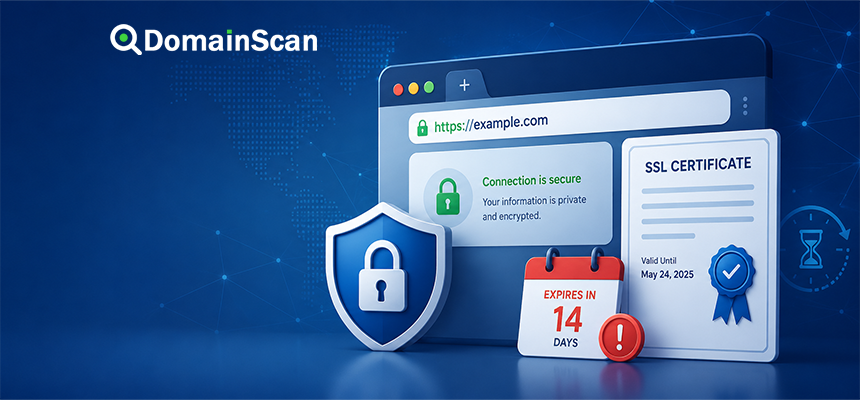
Every SSL/TLS certificate has a limited validity period. Once that period ends, browsers and other clients can no longer treat the certificate as currently valid for a normal trusted HTTPS connection.
This means a website can have perfectly working DNS, a healthy server, and an open HTTPS port while visitors still receive a security warning because the certificate has expired.
Certificate expiration is one of the easier HTTPS problems to prevent, but it can still cause unexpected outages when renewal automation fails or a newly issued certificate is not actually deployed to the public server.
The important distinction is this:
Certificate issued
        ↓
Certificate installed
        ↓
Certificate becomes valid
        ↓
Validity period
        ↓
Certificate expires
Renewal must be completed before the expiration point, and the new certificate must also be installed on every system that serves the hostname.
What Is an SSL Certificate Expiration Date?
An SSL/TLS certificate contains a defined validity period.
It normally includes two important timestamps:
- Not Before
- Not After
The certificate is intended to be considered valid only within that period, subject to all other validation checks.
A simplified example might show:
Valid From:
2026-06-01

Valid Until:
2026-08-30
After the Valid Until time passes, clients can report that the certificate is expired.
Why Do SSL Certificates Expire?
Certificates are intentionally issued for limited periods rather than being valid forever.
Shorter validity periods help reduce the amount of time an old certificate can remain in use and encourage regular replacement of certificates and associated operational checks.
Expiration also gives website operators repeated opportunities to:
- Rotate certificate material
- Review domain coverage
- Update cryptographic settings
- Remove certificates for domains no longer in use
- Detect broken renewal processes
For modern public websites, certificate renewal should normally be treated as an automated operational process rather than a manual task performed only when a warning appears.
What Happens When an SSL Certificate Expires?
The web server may continue running normally.
DNS may still point to the correct address:
example.com → 192.0.2.10
Port 443 may still be open.
The server may even return the expected website content.
But during the TLS handshake, the browser sees that the certificate validity period has ended.
The user may then receive a warning instead of the normal website.
Depending on the browser, the message may refer to:
- An expired certificate
- An invalid certificate date
- An insecure connection
- A privacy error
Common Browser Errors for an Expired Certificate
Different browsers use different wording.
A Chromium-based browser may show an error similar to:
NET::ERR_CERT_DATE_INVALID
Other browsers may simply state that the certificate has expired or that the connection cannot be verified securely.
The exact error text matters because a date-related certificate error can also be caused by an incorrect system clock, not only by an expired server certificate.
How to Check an SSL Certificate Expiration Date
The simplest method is to inspect the certificate currently presented by the public website.
Using the DomainScan SSL Checker, you can check information such as:
- Certificate subject
- Covered domain names
- Certificate issuer
- Validity start date
- Expiration date
- Certificate chain
Always check the exact hostname visitors use.
These can return different certificates:
example.com
www.example.com
shop.example.com
api.example.com
Why Checking the Public Certificate Matters
An administrator may look at a certificate file on the server and see a new expiration date.
That does not prove that visitors are receiving that certificate.
For example:
Certificate file on disk:
Expires November 2026

Certificate presented publicly:
Expires August 2026
This can happen if the server has not been reloaded or if another network component handles HTTPS before traffic reaches the origin server.
The certificate that matters to users is the one actually presented during the public TLS connection.
Why a Renewed Certificate Can Still Appear Expired
This is a common real-world problem.
You renew the certificate successfully, but visitors still receive an expiration warning.
Possible causes include:
- The web server still uses the old certificate.
- The service was not restarted or reloaded.
- A reverse proxy has its own certificate configuration.
- A load balancer still has the previous certificate.
- A CDN is presenting a separate edge certificate.
- One server in a cluster was not updated.
- The wrong certificate file was installed.
Do not assume that successful renewal means successful deployment.
Certificate Renewal and Certificate Installation Are Different
These are two separate steps.
Renewal
A certificate authority issues a new certificate with a new validity period.
Installation or deployment
The server, proxy, CDN, or load balancer is configured to present that new certificate.
A renewal process can succeed while deployment fails.
A reliable certificate workflow should verify both.
How Early Should an SSL Certificate Be Renewed?
A certificate should normally be renewed before its expiration date rather than at the last moment.
Automated certificate systems often attempt renewal well before expiration.
This provides time to recover if:
- Domain validation fails
- DNS validation fails
- The certificate authority is temporarily unavailable
- A firewall blocks validation
- The renewal client has stopped working
- The server configuration contains an error
Waiting until the final day leaves very little room for troubleshooting.
Why Automatic Renewal Can Fail
Automatic certificate renewal is reliable only when the complete validation and deployment process remains functional.
Common causes of failure include:
- The renewal service is not running.
- A scheduled task was disabled.
- The domain no longer points to the expected server.
- HTTP validation cannot reach the server.
- A DNS validation token cannot be created.
- API credentials have expired.
- File permissions changed.
- The web server configuration became invalid.
- The certificate authority rate limit was reached.
DNS Can Affect Certificate Renewal
Certificate authorities need to validate that the requester controls the domain.
Depending on the validation method, DNS configuration can therefore affect certificate issuance.
For example, a DNS-based validation process may require a TXT record such as:
_acme-challenge.example.com. IN TXT "validation-token"
If the TXT record is missing, added to the wrong DNS provider, or still affected by caching, validation may fail.
How HTTP Validation Can Fail
Some automated certificate systems validate a domain by requesting a specific file or token through HTTP.
This can fail when:
- The domain points to the wrong IP address.
- Port 80 is blocked.
- A redirect interferes with validation.
- A reverse proxy routes the request incorrectly.
- The validation path is blocked.
- A CDN is serving different content.
A certificate renewal problem can therefore begin as a DNS or web-server routing problem.
How DNS Validation Can Fail
DNS validation normally involves publishing a temporary TXT record.
Possible problems include:
- The TXT record was added under the wrong hostname.
- The domain uses different authoritative nameservers.
- The automation lacks DNS API access.
- The previous negative DNS answer is cached.
- The record was deleted before validation completed.
When troubleshooting, verify the TXT record using an independent DNS lookup rather than relying only on the DNS control panel.
What Is the ACME Protocol?
ACME is an automated protocol commonly used to request, validate, issue, and renew certificates.
A certificate client can communicate with a certificate authority and perform domain-control validation automatically.
A simplified process looks like:
Certificate client
       ↓
Requests certificate
       ↓
Certificate authority sends challenge
       ↓
Domain control is verified
       ↓
Certificate issued
       ↓
Certificate installed
       ↓
Server reloaded
This automation is one reason modern websites can operate with shorter certificate validity periods without requiring frequent manual work.
Why Certificate Monitoring Is Still Necessary With Auto-Renewal
Automation reduces manual work, but it should not eliminate monitoring.
A renewal process can work correctly for months and then fail because something elsewhere changed.
Useful monitoring includes:
- Days remaining before expiration
- Whether the current certificate matches the hostname
- Whether the certificate chain is complete
- Whether the public server presents the latest certificate
- Whether renewal jobs are succeeding
How to Read Certificate Expiration Information
An SSL checker may show:
Issued:
2026-06-01 00:00:00 UTC

Expires:
2026-08-30 23:59:59 UTC

Days Remaining:
4
The most important field for operational monitoring is usually the expiration timestamp or remaining validity period.
Time zones can matter near the exact expiration boundary, so certificate timestamps should be interpreted precisely rather than assuming the certificate remains valid until the end of the local calendar day.
Can a Certificate Be Invalid Before Its Expiration Date?
Yes.
A future expiration date does not guarantee that the certificate is valid for the connection.
Other problems include:
- The certificate has not reached its valid start date.
- The hostname does not match.
- The certificate chain is broken.
- The certificate is not trusted.
- The certificate has been revoked.
- The client rejects its cryptographic parameters.
Expiration is only one certificate validation check.
What Does “Certificate Not Yet Valid” Mean?
A certificate also contains a start time.
If the current time is earlier than that value, the client may report that the certificate is not yet valid.
This can happen because:
- The certificate was issued with a future validity start.
- The server or client clock is incorrect.
- The wrong certificate is being served.
Can an Incorrect Computer Clock Cause SSL Errors?
Yes.
Certificate validation depends on time.
If a user's device believes the current date is far in the past or future, a perfectly valid certificate can appear:
- Expired
- Not yet valid
If only one device reports a certificate date error while other devices work correctly, check the system clock before changing the website certificate.
How to Fix an Expired SSL Certificate
The exact process depends on the hosting environment, but a typical repair involves:
- Confirm that the certificate is actually expired.
- Identify which service or server presents it.
- Renew or reissue the certificate.
- Install the new certificate and required intermediate certificates.
- Confirm the correct private key is configured.
- Reload or restart the relevant service.
- Check the certificate again from the public internet.
Step 1: Check the Exact Hostname
Do not begin by checking only the root domain.
Users may be visiting:
www.example.com
while you are checking:
example.com
The two names can point to different servers or present different certificates.
Step 2: Check DNS
Verify the A and AAAA records.
For example:
example.com. IN A    192.0.2.10
example.com. IN AAAA 2001:db8::10
If one address points to an old server, users reaching that address may still receive an expired certificate.
Step 3: Check the Certificate Presented by Every IP
A domain can resolve to multiple servers:
example.com → 192.0.2.10
example.com → 192.0.2.11
If only one server was updated, the problem may appear intermittent.
Some visitors get the new certificate while others reach the old one.
Step 4: Check IPv4 and IPv6 Separately
This problem is particularly easy to miss.
IPv4 may return a valid certificate:
192.0.2.10 → valid certificate
while IPv6 returns:
2001:db8::10 → expired certificate
Users on IPv6-capable networks may therefore see errors while other visitors do not.
Step 5: Check Reverse Proxies and Load Balancers
HTTPS may terminate before traffic reaches the web server.
The certificate might be installed on:
- Nginx
- Apache
- A reverse proxy
- A load balancer
- A CDN
- A cloud gateway
Updating only the origin certificate does not update certificates managed elsewhere.
Step 6: Check the Certificate Chain
A new server certificate may be valid while the intermediate chain is incomplete.
The server should present the required certificates so clients can build a trusted path.
A normal chain may look like:
Website Certificate
        ↓
Intermediate CA
        ↓
Trusted Root CA
Expired Certificate vs Expired Intermediate Certificate
The website certificate is not the only certificate involved in validation.
A chain may contain intermediate certificates with their own validity periods.
An outdated or incorrectly configured intermediate can therefore cause trust problems even when the leaf certificate itself appears current.
Always inspect the complete chain.
Why Does a CDN Show a Different Certificate?
If a website uses a CDN or reverse proxy, visitors connect to the CDN first.
The public path can look like:
Visitor
   ↓
CDN certificate
   ↓
CDN
   ↓
Origin certificate
   ↓
Origin server
There may therefore be two separate TLS connections.
A valid origin certificate does not guarantee that the CDN edge certificate is valid, and vice versa.
What Is an Origin Certificate?
An origin certificate protects the connection between a proxy or CDN and the origin server.
It may not be the certificate that ordinary website visitors see.
When troubleshooting, determine which part of the connection is producing the error.
Why Does My Browser Still Show the Old Certificate?
Browsers do not normally keep using an expired server certificate simply because a new one exists on the server.
If the old certificate is still being presented, investigate the infrastructure.
Common causes include:
- Another server address
- An old reverse proxy configuration
- An unupdated load balancer
- An outdated CDN edge configuration
- The service was never reloaded
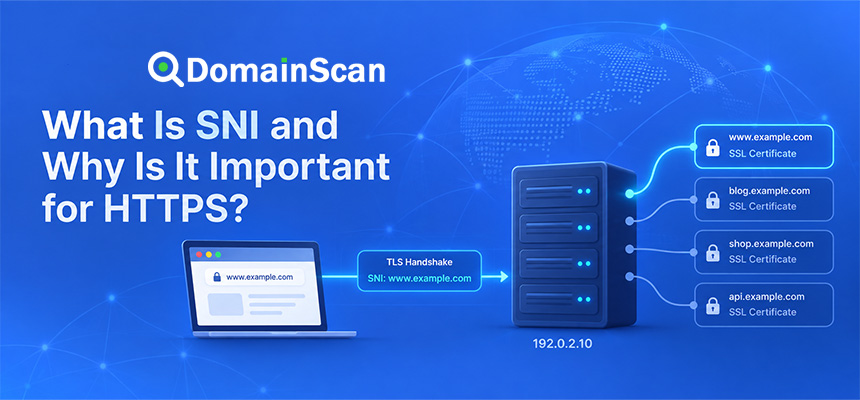
Certificate Expiration and SNI
Modern servers can host many HTTPS websites on one IP address using Server Name Indication.
For example:
site-a.example → 192.0.2.10
site-b.example → 192.0.2.10
The server selects the certificate based on the requested hostname.
If the virtual host configuration is wrong, one domain may receive another domain's expired or mismatched certificate.
How to Prevent Certificate Expiration Downtime
A reliable setup should not depend on someone remembering a calendar date.
Use several layers of protection.
Automate renewal
Use certificate automation when supported by the platform.
Monitor expiration
Set alerts well before certificates expire.
Verify deployment
Check the public certificate after each renewal.
Monitor multiple hostnames
Include root domains, www hostnames, APIs, and important subdomains.
Monitor IPv4 and IPv6
Confirm both paths present the expected certificate.
Monitor load-balanced services
Check every endpoint when possible.
How Many Days Before Expiration Should You Be Alerted?
There is no universal alert schedule, but using multiple warning points is more useful than having only one last-minute alert.
For example:
30 days remaining
14 days remaining
7 days remaining
3 days remaining
1 day remaining
If automatic renewal is expected to occur well before the final week, an alert at seven days can indicate that something has already gone wrong.
Can You Renew a Certificate Too Early?
Certificate authorities and automation systems have their own issuance and renewal rules.
Repeated unnecessary certificate requests can also encounter issuance limits.
For normal operation, rely on the renewal schedule recommended by the certificate authority or hosting platform rather than manually reissuing certificates every few days.
Does Renewing an SSL Certificate Change the Website IP?
No.
Certificate renewal and DNS addressing are separate.
The website can continue using:
example.com → 192.0.2.10
while receiving a new certificate.
The IP address only changes if the infrastructure itself is changed.
Does Renewing an SSL Certificate Affect SEO?
Routine certificate renewal should not change website content or URLs.
The main concern is preventing HTTPS errors and downtime.
If a certificate expires and users or crawlers cannot access the site normally, availability can be affected.
Keeping HTTPS operational is therefore part of normal website maintenance.
Should You Temporarily Use HTTP If the Certificate Expires?
For a public website that normally uses HTTPS, intentionally downgrading users to unencrypted HTTP is generally not the preferred fix.
The proper solution is to restore a valid HTTPS certificate as quickly as possible.
Modern websites may also use HSTS, which can prevent browsers from accepting an HTTP fallback.
What Is HSTS?
HTTP Strict Transport Security tells browsers that a website should be accessed using HTTPS.
If a site has an expired certificate while HSTS is active, users may not be able to bypass the security warning easily.
This makes certificate monitoring especially important for HSTS-enabled websites.
Can an Expired Certificate Still Encrypt Traffic?
The cryptographic material may technically still be capable of encryption, but clients cannot treat an expired certificate as currently valid authentication.
From the user's perspective, the HTTPS connection is no longer normally trusted.
This distinction matters: encryption alone is not enough. The browser also needs to verify the server's identity using a valid certificate.
How DomainScan SSL Checker Can Help
DomainScan SSL Checker can be used to inspect the certificate currently presented by a hostname.
When checking expiration, review:
- The certificate expiration date
- The number of days remaining
- The covered hostnames
- The issuer
- The certificate chain
If the displayed certificate differs from the one you believe was installed, investigate the public connection path.
A Practical SSL Expiration Troubleshooting Checklist
- Check the exact hostname.
- Inspect the public certificate.
- Confirm the expiration date.
- Check the hostname coverage.
- Check A and AAAA records.
- Test every public server address.
- Inspect the certificate chain.
- Check CDN and reverse proxy certificates.
- Confirm renewal succeeded.
- Confirm deployment succeeded.
- Reload the relevant service if required.
- Check the public certificate again.
Frequently Asked Questions
How do I check when an SSL certificate expires?
Use an SSL checker or inspect the certificate presented by the website and look for its validity end date.
What happens when an SSL certificate expires?
Browsers can display a security warning and stop treating the HTTPS connection as normally trusted.
Can a website still run with an expired SSL certificate?
The server can remain online, but users may be blocked by browser security warnings.
Why does my SSL certificate still show expired after renewal?
The new certificate may not have been deployed, the server may not have been reloaded, or another proxy, CDN, load balancer, IPv4, or IPv6 endpoint may still be presenting the old certificate.
Does SSL renewal happen automatically?
Many hosting platforms and certificate clients support automatic renewal, but the automation can fail and should still be monitored.
Does renewing SSL change the private key?
It depends on the renewal process. Some systems generate a new private key while others may reuse an existing key.
Can DNS problems prevent SSL renewal?
Yes. DNS errors can interfere with domain validation, particularly when DNS-based validation is used.
Can an expired certificate be renewed?
Yes. A new certificate can normally be issued after the previous one expires, provided domain validation and certificate-authority requirements are satisfied.
Should I delete the old certificate after renewal?
Do not remove old certificate material until you have confirmed that the new certificate is deployed correctly and that no required service still depends on the previous configuration.
Why does SSL work on one device but not another?
Possible causes include different IPv4 and IPv6 paths, different DNS results, different servers in a cluster, client trust stores, or incorrect system time.
Final Thoughts
SSL certificate expiration is predictable, which means it should rarely become an unexpected website outage.
The most reliable approach is to automate certificate renewal, monitor expiration independently, and verify the certificate actually presented by the public website after each renewal.
When an expired certificate remains visible after renewal, check the complete HTTPS path. The old certificate may still be installed on another server, IPv6 endpoint, load balancer, reverse proxy, or CDN.
Also remember that certificate renewal and certificate deployment are separate operations. Successfully obtaining a new certificate is only useful after the correct public service begins presenting it.
Use DomainScan SSL Checker to review a site's current certificate, expiration date, domain coverage, issuer, and certificate chain before a certificate problem turns into visible HTTPS downtime.