What Is an SSL Certificate and How Does It Work?
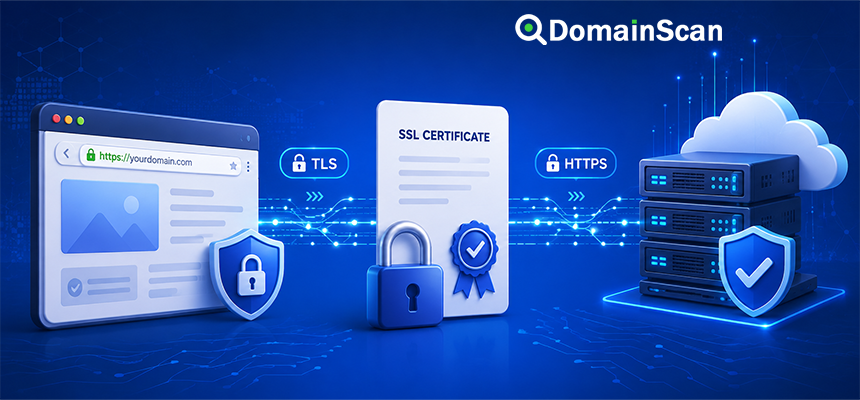
An SSL certificate is a digital certificate used by websites and other internet services to prove their identity and help establish an encrypted connection.
When you visit a website using HTTPS, the server presents a certificate to your browser. The browser checks information in that certificate before creating a secure connection.
For example:
https://example.com
The certificate presented by the server may confirm that it is valid for:
example.com
www.example.com
If the certificate is valid, trusted, and appropriate for the hostname being requested, the browser can continue establishing an encrypted TLS connection.
Although people still commonly use the term “SSL certificate,” modern HTTPS connections use TLS rather than the older SSL protocols. The name SSL certificate remains widely used because it has become the familiar industry term for website certificates.
What Does SSL Mean?
SSL stands for Secure Sockets Layer.
SSL was an earlier cryptographic protocol used to secure internet communications. Modern systems have replaced SSL with TLS, which stands for Transport Layer Security.
Despite that change, terms such as these are still commonly used:
- SSL certificate
- SSL checker
- SSL installation
- SSL error
In most modern website contexts, an “SSL certificate” is actually a certificate being used with TLS.
What Does an SSL Certificate Do?
A website certificate has several important purposes.
It identifies the server
The certificate contains domain names for which it is valid.
If a user visits:
https://www.example.com
the browser checks whether the certificate presented by the server is valid for www.example.com.
It provides a public key
The certificate contains cryptographic public-key information used during the TLS process.
It supports encrypted communication
Once the TLS connection is established, data exchanged between the browser and server is encrypted.
This helps protect information from being read or modified by parties observing the network connection.
It links the domain to a trusted certificate chain
A browser usually expects the certificate to connect through intermediate certificates to a trusted root certificate authority.
How Does HTTPS Work?
HTTPS stands for:
Hypertext Transfer Protocol Secure
It combines HTTP with TLS.
A simplified website connection looks like this:
Browser
   ↓
DNS lookup
   ↓
Server IP address
   ↓
TLS connection
   ↓
Certificate validation
   ↓
Encrypted HTTPS traffic
DNS and TLS perform different jobs.
DNS helps the browser find the server. The SSL/TLS certificate helps authenticate the server identity and establish a secure communication channel.
What Happens When You Visit an HTTPS Website?
Suppose you enter:
https://example.com
A simplified connection process works as follows.
1. The browser resolves the domain
The browser first needs the website's IP address.
DNS may return:
example.com. 3600 IN A 192.0.2.10
2. The browser connects to the server
For ordinary HTTPS, the connection normally uses TCP port 443.
3. The TLS handshake begins
The browser and server negotiate cryptographic parameters needed for the secure connection.
4. The server presents its certificate
The certificate includes information such as:
- The domain names it covers
- The certificate issuer
- The validity period
- The public key
- The digital signature
5. The browser validates the certificate
The browser checks whether the certificate is acceptable for the current connection.
6. Encryption keys are established
The browser and server establish session keys used to encrypt the connection.
7. HTTPS traffic begins
HTTP requests and responses can now travel through the encrypted TLS session.
What Does a Browser Check in an SSL Certificate?
Certificate validation involves several checks.
The browser may verify:
- The certificate has not expired.
- The requested hostname is included in the certificate.
- The certificate chains to a trusted certificate authority.
- The digital signatures in the certificate chain are valid.
- The certificate is being used for an appropriate purpose.
- The cryptographic parameters meet the browser's security requirements.
If an important check fails, the browser may display a certificate warning rather than silently trusting the connection.
What Is a Certificate Authority?
A Certificate Authority, commonly abbreviated as CA, is an organization that issues and signs digital certificates.
A certificate authority verifies control or identity according to the type of certificate being requested and then digitally signs the issued certificate.
Browsers and operating systems maintain trusted root certificate stores.
A typical certificate trust path may look like:
Website Certificate
        ↓
Intermediate CA
        ↓
Root CA
        ↓
Trusted by Browser
The website certificate normally does not need to be signed directly by a root certificate. Intermediate certificate authorities are commonly used between the website and the trusted root.
What Is an SSL Certificate Chain?
A certificate chain connects the website's certificate to a trusted root certificate.
For example:
example.com certificate
        ↓
Intermediate Certificate A
        ↓
Intermediate Certificate B
        ↓
Trusted Root Certificate
The server normally sends the website certificate and the required intermediate certificates to the browser.
The browser then attempts to build a valid path to a root certificate it already trusts.
What Is an Intermediate Certificate?
An intermediate certificate is a certificate authority certificate located between the website certificate and the trusted root.
Certificate authorities use intermediates partly to reduce direct exposure of their root keys.
A website server may therefore need to provide:
- The website certificate
- One or more intermediate certificates
If an intermediate certificate is missing, some clients may be unable to build the trust chain correctly.
What Is a Root Certificate?
A root certificate represents a top-level certificate authority trusted by a browser or operating system.
Trusted roots are normally stored locally in a device's certificate store.
The root certificate is not usually downloaded from the website every time a connection is made.
Instead, the browser already has a set of root certificates it trusts according to its platform and browser policies.
What Information Is Inside an SSL Certificate?
A website certificate can contain information such as:
- Subject information
- Subject Alternative Names
- Issuer
- Serial number
- Public key
- Signature algorithm
- Validity start date
- Validity expiration date
- Key usage information
The exact fields depend on the certificate type and standard being used.
What Is the Subject Alternative Name?
The Subject Alternative Name extension, commonly abbreviated SAN, lists the domain names for which a certificate is valid.
For example, a certificate might include:
example.com
www.example.com
shop.example.com
If a browser visits one of those hostnames, the certificate can potentially match the requested name.
If the browser visits:
admin.example.com
but that hostname is not covered by the certificate, the browser may report a hostname mismatch.
Does a Certificate for example.com Also Cover www.example.com?
Not automatically.
These are different hostnames:
example.com
www.example.com
A certificate should include both if the website needs to work securely on both names.
Many automated certificate systems request both names during issuance, but administrators should verify the actual SAN list rather than assuming coverage.
What Is a Wildcard SSL Certificate?
A wildcard certificate can cover multiple subdomains at one level.
For example:
*.example.com
may cover hostnames such as:
www.example.com
shop.example.com
api.example.com
It does not normally match deeper names such as:
server.api.example.com
and the wildcard name *.example.com should not be assumed to cover the root name example.com unless that root name is also included separately in the certificate.
What Is a Multi-Domain Certificate?
A certificate can contain several different domain names in its SAN extension.
For example:
example.com
www.example.com
example.net
www.example.net
This allows one certificate to be used across several hostnames when the server configuration supports it.
What Is an SSL Certificate Expiration Date?
Certificates are issued with a defined validity period.
They contain a start time and an expiration time.
After the certificate expires, browsers no longer consider it valid for normal trusted HTTPS operation.
An expired certificate can cause visitors to see a security warning even if:
- The website is online.
- The DNS is correct.
- The server is reachable.
- The certificate previously worked.
This is why certificate renewal should be automated or monitored carefully.
What Happens When an SSL Certificate Expires?
The web server may continue running normally, but clients can reject or warn about the TLS connection.
Users may see messages similar to:
- Your connection is not private
- Certificate expired
- NET::ERR_CERT_DATE_INVALID
The exact message depends on the browser.
Renewing the certificate and configuring the server to present the new one normally resolves the issue.
Why Can a Renewed Certificate Still Show as Expired?
Renewing a certificate does not automatically guarantee that every server begins using it.
Common causes include:
- The web server was not reloaded.
- The old certificate is still configured.
- A reverse proxy is presenting another certificate.
- A load balancer was not updated.
- One server in a cluster still uses the old certificate.
- The CDN manages its own edge certificate.
Check the certificate actually presented by the public hostname rather than only confirming that a new certificate file exists on the server.
What Is a Self-Signed Certificate?
A self-signed certificate is signed by its own private key rather than by a certificate authority trusted by the browser.
Self-signed certificates can still provide encryption, but a normal browser does not automatically trust the identity represented by them.
They are often used for:
- Internal systems
- Development environments
- Testing
- Private networks with custom trust stores
They are usually unsuitable for public websites unless users' devices have been deliberately configured to trust the certificate.
What Is the Difference Between SSL and TLS?
SSL and TLS refer to different generations of secure transport protocols.
Modern web security uses TLS.
Older SSL protocol versions are obsolete and should not be used.
However, the phrase “SSL certificate” continues to be used commercially and technically as a familiar name for certificates used with HTTPS.
So when someone says:
Install an SSL certificate
they usually mean:
Install a certificate for use with modern TLS/HTTPS
Does an SSL Certificate Encrypt Website Data?
The certificate itself does not directly encrypt every byte of website traffic.
Instead, it provides identity and cryptographic key information used during the TLS handshake.
The browser and server then establish temporary session keys that are used to encrypt the actual connection.
This design allows efficient symmetric encryption to protect the data exchanged after the handshake.
What Information Does HTTPS Protect?
HTTPS can protect information transmitted between the client and the server, including:
- Login credentials
- Form submissions
- Cookies
- API requests
- Page content
- Payment information
However, HTTPS does not mean the website itself is trustworthy.
A phishing or malicious website can also obtain a valid certificate for a domain it controls.
Does the Padlock Mean a Website Is Safe?
No.
A valid HTTPS connection means the browser has established an encrypted connection to a server presenting a valid certificate for the hostname.
It does not prove that:
- The company behind the website is trustworthy.
- The website contains no malware.
- The products being sold are legitimate.
- The information on the site is accurate.
- The website account has not been compromised.
HTTPS protects the connection. It is not a complete reputation or safety check.
What Is a Certificate Hostname Mismatch?
A hostname mismatch occurs when the certificate does not cover the domain being visited.
Suppose the server presents a certificate valid for:
example.com
but the user visits:
shop.example.com
If shop.example.com is not listed in the certificate, validation can fail.
Common causes include:
- The wrong certificate was installed.
- A subdomain was omitted during issuance.
- The server is using a default certificate.
- DNS points to the wrong server.
- A reverse proxy has incorrect TLS configuration.
Why Does DNS Matter for SSL?
DNS and SSL/TLS are separate systems, but they interact during normal website access.
Suppose:
example.com → 192.0.2.10
If DNS accidentally points the domain to another server:
example.com → 198.51.100.40
that server may present a certificate for a different hostname.
The browser can then report a certificate mismatch.
This is why some apparent SSL problems are actually caused by incorrect DNS.
Why Does SSL Work on One Server but Not Another?
A website behind several IP addresses may have inconsistent certificate configuration.
For example:
example.com → 192.0.2.10
example.com → 192.0.2.11
If the first server has the correct certificate but the second has an old or unrelated certificate, users can experience intermittent SSL warnings.
Check every backend or edge server in a multi-server environment.
Why Does HTTPS Fail Only on IPv6?
A hostname can point to different IPv4 and IPv6 destinations:
example.com. IN A    192.0.2.10
example.com. IN AAAA 2001:db8::10
If the IPv6 server has a different or incorrect certificate, users connecting over IPv6 may receive SSL errors while IPv4 users see no problem.
Compare both the A and AAAA destinations during troubleshooting.
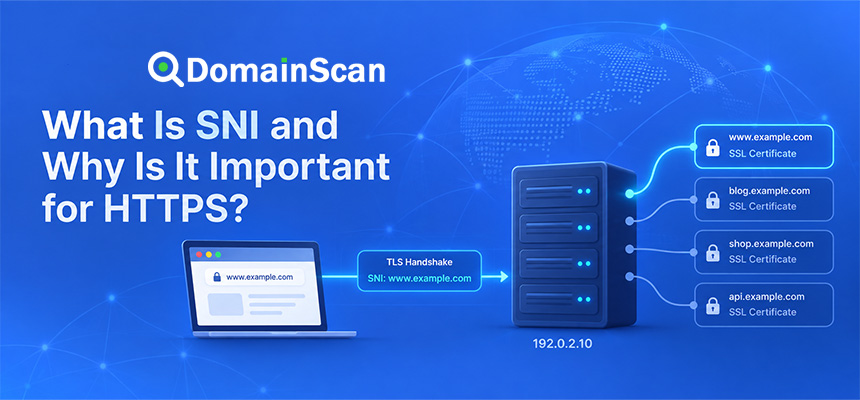
What Is SNI?
SNI stands for Server Name Indication.
It allows the client to indicate the hostname it wants during the TLS connection process.
This makes it possible for one IP address to host multiple HTTPS websites with different certificates.
For example:
site-a.example → 192.0.2.10
site-b.example → 192.0.2.10
The server can use the requested hostname to select the appropriate certificate.
SNI is an important part of modern shared HTTPS hosting.
What Is Port 443?
TCP port 443 is the standard port used for HTTPS.
A normal connection to:
https://example.com
usually attempts to reach:
example.com:443
If DNS works but port 443 is blocked by a firewall, HTTPS may fail even though the certificate itself is correct.
Common SSL Certificate Problems
The certificate has expired
Check the validity dates and renew the certificate.
The certificate does not match the hostname
Inspect the Subject Alternative Names and confirm that the requested hostname is included.
The certificate chain is incomplete
The server may be missing one or more intermediate certificates.
The wrong certificate is installed
This commonly occurs on shared hosting, reverse proxies, and multi-domain servers.
DNS points to the wrong server
The certificate error may be a symptom of incorrect A, AAAA, or CNAME records.
The new certificate was installed but the server still presents the old one
Reload the relevant web server, proxy, load balancer, or application and check which certificate is actually being served.
Only some users see the SSL error
Investigate multiple server addresses, CDN edges, DNS caches, IPv4 and IPv6 destinations, and load balancers.
Port 443 is closed
An SSL certificate cannot help if clients cannot reach the HTTPS service.
How to Check an SSL Certificate
You can use the DomainScan SSL Checker to inspect the certificate currently presented by a website.
A useful certificate check should include:
- Enter the exact hostname.
- Connect to the HTTPS service.
- Check the certificate subject and SAN names.
- Check the issuer.
- Review the validity period.
- Inspect the certificate chain.
- Confirm that the hostname matches.
Always test the exact hostname users visit.
These can present different certificates:
example.com
www.example.com
shop.example.com
api.example.com
How to Troubleshoot an SSL Error
Step 1: Confirm DNS
Check the A and AAAA records and verify that the hostname points to the expected infrastructure.
Step 2: Test port 443
Confirm that the HTTPS service is reachable.
Step 3: Inspect the certificate
Check the hostname, validity dates, issuer, and certificate chain.
Step 4: Check every server
If the domain has multiple addresses or uses a load balancer, verify each destination.
Step 5: Check IPv6
Do not assume that IPv4 and IPv6 reach the same TLS configuration.
Step 6: Check the CDN or reverse proxy
The certificate seen by visitors may be managed by a CDN rather than the origin server.
Step 7: Check server configuration
Confirm that the correct certificate and private key are attached to the requested hostname.
How to Avoid SSL Certificate Downtime
Good certificate management should be proactive.
Useful practices include:
- Use automated renewal where practical.
- Monitor certificate expiration dates.
- Test renewal automation regularly.
- Keep server time synchronized.
- Check certificate deployment after renewal.
- Monitor both IPv4 and IPv6 endpoints.
- Verify CDN and load balancer certificates separately.
A certificate renewal is not complete until the public service is actually presenting the new certificate.
SSL Certificate vs DNSSEC
SSL/TLS certificates and DNSSEC solve different problems.
SSL/TLS certificate
Helps authenticate the website endpoint and establish an encrypted connection.
DNSSEC
Helps authenticate DNS data and detect certain types of forged DNS responses.
A domain can use both technologies:
DNSSEC
   ↓
Validated DNS data
   ↓
Server IP
   ↓
TLS certificate
   ↓
Encrypted HTTPS connection
SSL Certificate vs Domain Verification TXT Record
A certificate authority may sometimes ask for DNS verification before issuing a certificate.
For example:
_acme-challenge.example.com. IN TXT "verification-token"
This TXT record helps prove control of the domain during certificate issuance.
The TXT record is not the SSL certificate itself.
It is only part of a validation process used to obtain or renew one.
Frequently Asked Questions
What is an SSL certificate?
An SSL certificate is a digital certificate used with TLS to authenticate a server identity and help establish an encrypted connection.
Is SSL still used?
The original SSL protocols are obsolete. Modern HTTPS uses TLS, although “SSL certificate” remains the common name for website certificates.
Does every website need an SSL certificate?
A public website should generally use HTTPS. A valid certificate is required for browsers to establish a normally trusted HTTPS connection to the hostname.
Does an SSL certificate make a website safe?
No. It protects the connection and helps authenticate the hostname, but it does not guarantee that the website itself is honest, secure, or free from malware.
Can one certificate cover several domains?
Yes. A certificate can include multiple hostnames in its Subject Alternative Name extension.
Can one certificate cover all subdomains?
A wildcard certificate such as *.example.com can cover many one-level subdomains, subject to certificate matching rules.
Why is my SSL certificate showing as invalid?
Common causes include expiration, hostname mismatch, incomplete certificate chains, incorrect server configuration, unsupported cryptographic settings, or DNS pointing to the wrong server.
Can DNS cause an SSL certificate error?
Yes. If DNS sends users to the wrong server, that server may present a certificate that does not match the requested hostname.
Why does my certificate work on www but not the root domain?
The certificate may include www.example.com but not example.com, or the two hostnames may point to different servers.
What happens when an SSL certificate expires?
Browsers can display a security warning and refuse to treat the HTTPS connection as normally trusted until a valid certificate is installed.
How can I check when an SSL certificate expires?
Use an SSL certificate checker to inspect the validity start and expiration dates of the certificate currently presented by the server.
Final Thoughts
An SSL certificate is an essential part of modern HTTPS.
It helps a browser verify the identity of the server it is connecting to and provides the public-key information needed during the TLS handshake. Once that handshake succeeds, the browser and server can communicate through an encrypted connection.
A valid certificate depends on more than the certificate file itself. The hostname must match, the certificate must be within its validity period, the trust chain must be complete, the correct server must present it, and the HTTPS service must be reachable.
When troubleshooting an SSL error, check the entire connection path rather than immediately assuming that the certificate needs to be replaced. DNS, IPv4 and IPv6 routing, port 443, reverse proxies, CDNs, load balancers, and server configuration can all affect which certificate a visitor actually receives.
Use the DomainScan SSL Checker to inspect the certificate presented by a hostname, review its validity period and certificate chain, and identify common configuration problems before they cause website access issues.